Centralized system and device management
Add devices, place them inside the system structure and manage buildings, zones, rooms, entrances, call groups and operating parameters from a single portal.
IpDoor web platform to configure, monitor and manage systems, devices, users and access rights from any browser on PC, tablet or smartphone.
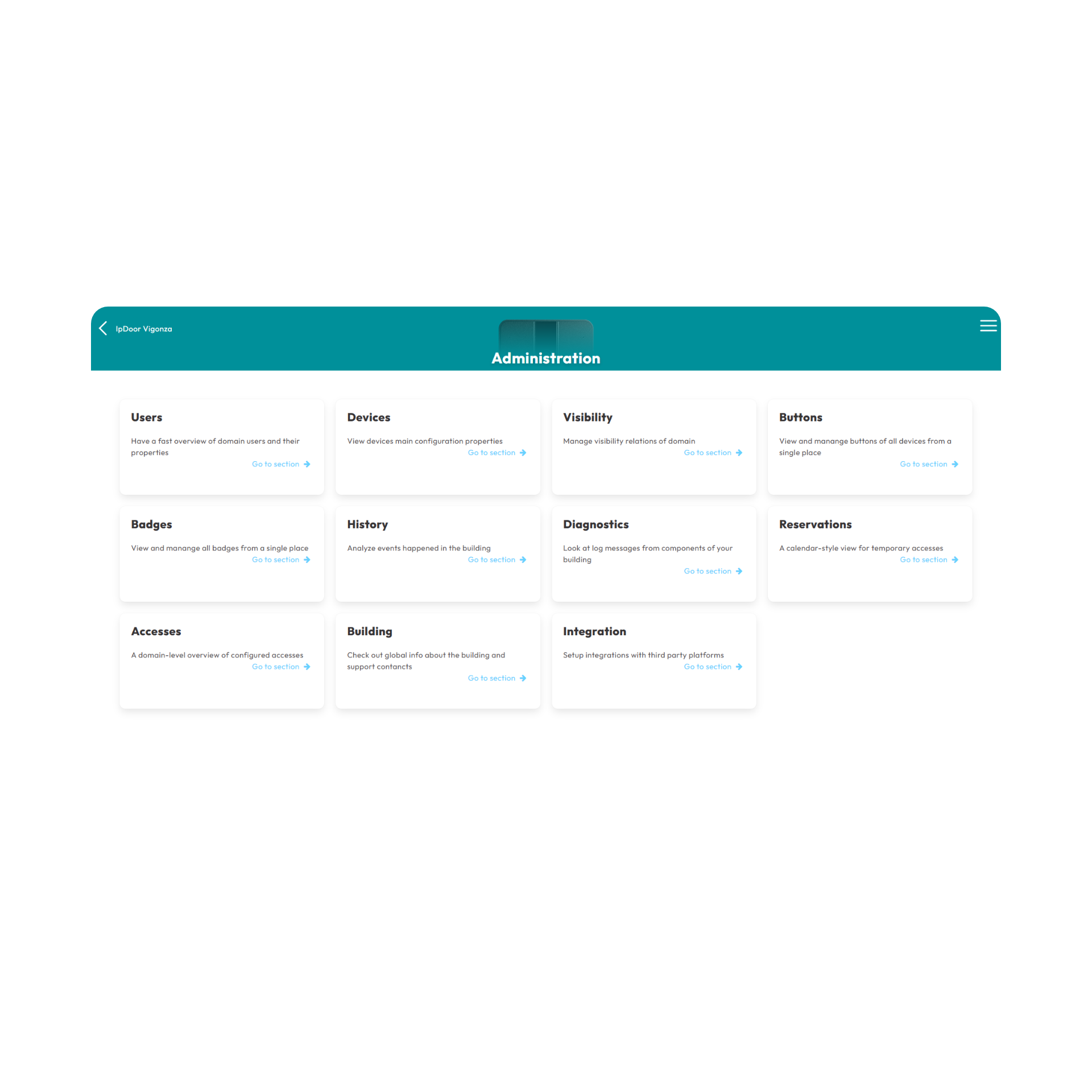
IpDoor Console is the central web platform of the system, accessible from any browser-enabled device. Through the online portal console.ipdoor.com it lets you configure systems, add devices, manage users and credentials, define access rules and perform predictive diagnostics and maintenance activities.
Changes are sent to devices through the Internet and then stored locally, so the system can keep working even during a temporary connection outage. The multi-platform approach enables fast interventions and centralized control, even across multiple buildings or operators.
The Console is the central management point of the IpDoor system. It is the main tool for creating accounts, activating devices, organizing buildings, defining permissions and checking the overall consistency of the configuration.
Add devices, place them inside the system structure and manage buildings, zones, rooms, entrances, call groups and operating parameters from a single portal.
Check system status, monitor events and intervene quickly on configuration changes, reducing downtime and improving service continuity.
Every change made in the Console is sent to devices through the Internet and stored locally so they can continue operating even if connectivity is temporarily unavailable.
Has full control over the system, users, devices and access rules. Can create and edit credentials, monitor system status and use advanced diagnostic and maintenance tools.
Designed for B&Bs, tourist apartments and hospitality contexts. Enables fast access management and the creation of temporary credentials for guests without requiring full administrator privileges.
The most common role for people using system services. Access is limited to the areas and functions authorized by administrators or managers.
As a web platform, the Console can be used from PC, tablet or smartphone without dedicated installations, making it suitable for both configuration work and quick field interventions.
Centralizes configuration, supervision and maintenance, reducing operational steps and making the management of complex or multi-site systems faster.
The multi-user model lets you distribute responsibilities and authorizations precisely, adapting the Console to installers, administrators, front-desk staff, managers and end users.